
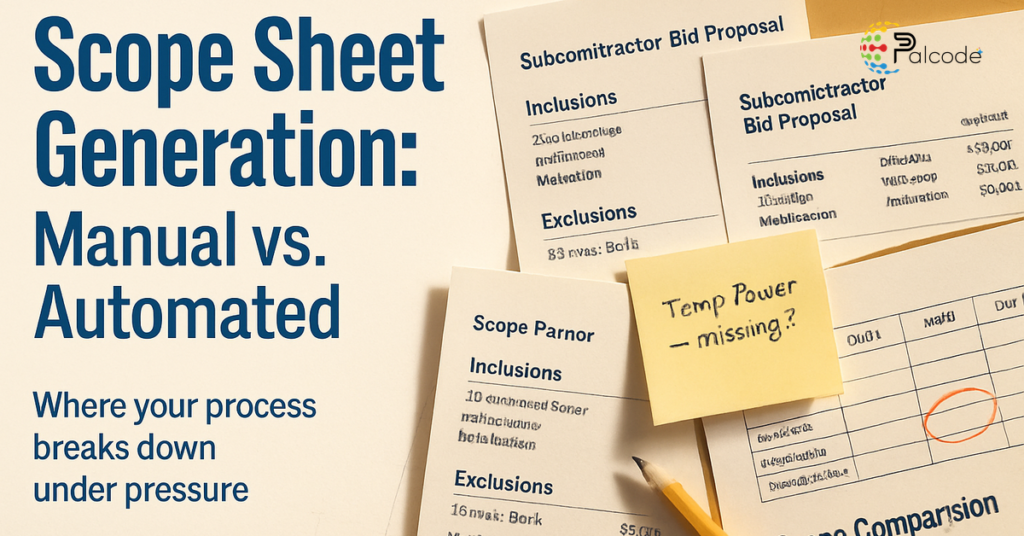
You’ve probably run into this already: a bid comes in late, formatted differently from every other proposal, and someone on your team spends two hours manually pulling inclusions and exclusions into a spreadsheet before even starting a real comparison. That’s the friction point this decision actually comes down to. Whether manual or automated scope sheet generation is the right call for your team isn’t about preference. It’s about where your process breaks down under pressure.
What Each Scope Sheet Approach Is Actually Doing
Manual scope-sheet creation means your estimators are reading proposals, copying relevant scope items into a spreadsheet, and building the comparison structure by hand. It’s flexible. It accommodates the messy, inconsistently formatted packages that subcontractors routinely send. The obvious cost is time and the quiet risk of human transcription error compounding across a dozen bids.
Automated scope-sheet generation ingests those same bid documents and extracts the relevant fields into a structured, comparable format without requiring someone to do the copying manually. Some platforms can produce a side-by-side scope comparison in a fraction of the time. The tradeoff is that the quality of the output depends heavily on how well the tool handles real-world document variation.
The Criteria That Actually Matter for This Decision
Speed gets mentioned first, but it’s usually not where teams feel the most pain. The real pressure points are scope-gap detection, version control, and whether the tool can handle what your subcontractors actually send you.
Scope-Gap Detection
This is the clearest practical advantage automated tools carry. A manual reviewer depends on discipline and memory to notice when one bid includes temporary power and another doesn’t. Automated tools can flag those mismatches systematically across every bid in the package. That’s not a minor convenience, it’s a direct buyout-risk reduction.
Version Control
Manual workflows often mean scope sheets living across multiple spreadsheet versions in a shared folder. When a subcontractor resubmits and someone updates the wrong file, the reconciliation work falls on whoever happens to catch it. Automated platforms typically build version history into the workflow, which reduces but doesn’t eliminate that exposure.
Extraction Quality on Real Bids
Here’s the part most teams underestimate before running a pilot: how well does the tool actually parse what your subs send? Incomplete bids, hand-typed exclusion lists, and non-standard formatting are the norm, not the exception. An automated tool that handles clean PDFs cleanly but stumbles on unusual layouts can create a new layer of cleanup work instead of reducing it.
Traceability
When a scope decision gets challenged during buyout or after award, your team needs to show where each item came from in the source document. Manual spreadsheets rarely have that trail without significant reconstruction effort. Better automated tools link extracted items back to the original source, which makes audits and scope disputes easier to navigate.
When Manual Scope Sheets Still Make Sense
Manual is a defensible choice when your bid volume is low, your projects are highly customized, or your team relies on heavy judgment calls that don’t map cleanly to a repeatable scope framework. A GC running a handful of complex, one-off packages each year may find that automation adds overhead rather than removing it.
The risk is that manual systems tend to scale poorly. Each additional package adds proportionally more copying, checking, and reconciliation work. That’s manageable at low volume, but it becomes a real capacity problem during a busy bid period.
When Automation Is the Better Fit
Automation earns its cost when a team is comparing many subcontractor bids, managing frequent revisions, or trying to reduce scope misses across multiple estimators or offices. It’s also a strong choice when the firm wants to enforce a consistent scope framework rather than relying on individual estimator habits.
Standardization is the less obvious benefit. When multiple estimators are building scope sheets independently, the output varies in structure, depth, and what gets flagged. Automated tools apply the same logic every time, which matters more as the organization grows. For teams already looking at whether their preconstruction process is quietly losing margin, scope consistency is often one of the first levers.
What to Evaluate in a Real Pilot
Before committing to a platform, test it against recent bid packages from real projects, not demo data. Extraction quality and scope mapping are the core test: does the tool correctly capture inclusions, exclusions, and qualifications from how your subs actually write proposals, and can it align their trade-specific wording to your internal framework without heavy cleanup? Those two things together tell you more than any vendor walkthrough will.
Beyond that, push on the edges. Submit an incomplete bid or a proposal with sparse exclusion language and see what the tool does with it. Watch whether estimators can correct the output efficiently or whether the interface slows them down more than a spreadsheet would. And then honestly ask whether your preconstruction team will still be using it in six weeks, or whether they’ll have drifted back to Excel by then. That last question is often the deciding one. Teams exploring how to find missing scope in construction bids quickly discover that the review workflow matters as much as the detection capability itself.
The Practical Decision Rule
If your scope sheets are mostly repetitive and you care about speed, consistency, and scale, automation is likely the better long-term fit. If your work is genuinely low-volume, highly bespoke, or dependent on judgment that resists standardization, manual workflows may remain more practical for now.
The honest reality is that most mid-size GCs sit somewhere in the middle, with enough bid volume to feel the pain of manual entry but not enough process standardization yet to get full value from automation on day one. That’s actually the strongest case for running a real pilot before committing, rather than choosing based on a vendor demo alone.
Read more
- Preconstruction Checklist: Is Your Process Losing Margin?
- Scope Gap Construction Bids: Find Missing Scope Fast
| Evaluation Factor | Manual Approach | Automated Approach | Why It Matters |
|---|---|---|---|
| Speed | Labor-heavy; slows with each added bid | Much faster for repetitive comparisons at volume | Tight bid deadlines leave little room for slow review cycles |
| Accuracy | Depends on reviewer discipline and spreadsheet handling | Reduces transcription errors; still needs human review | Missed items affect buyout risk downstream |
| Scope-gap detection | Relies on individual reviewer memory | Flags missing line items automatically across all bids | One of the clearest practical advantages of automation |
| Version control | Often managed through manual file naming | Built into the platform in most tools | Prevents overwritten edits and conflicting revisions |
| Setup effort | Low if the team already uses Excel | Requires software selection and training | Automation may take longer to implement before it saves time |
| Scale | Works at low volume; breaks down as packages increase | Handles more packages without adding proportional staff time | Critical during high-bid-period workloads |
| Standardization | Adapts easily to unusual or bespoke scopes | Works best when scopes map to a repeatable framework | Highly customized projects may be harder to automate cleanly |
| Audit trail | Often reconstructed after the fact | More structured; items linked to source documents | Useful when scope decisions get challenged post-award |
| Cost | Lower software cost; higher labor cost | Higher software cost; lower labor cost | Total cost, not just tool price, is the real comparison |
Frequently Asked Questions
How long does it take to implement automated scope sheet software?
Most teams see meaningful setup time of several weeks before an automated tool runs reliably on live bid packages, accounting for configuration, training, and testing against real documents. The pilot phase matters most: testing the tool on recent actual proposals reveals extraction gaps that a vendor demo won’t surface. Teams that skip the pilot often find themselves doing more cleanup than expected in the first few months.
Can automated scope sheet tools handle non-standard or incomplete subcontractor bids?
Most tools handle well-formatted PDFs reliably, but performance drops when bids are incomplete, hand-typed, or use unusual layouts. That’s worth testing directly before buying, not after. Ask any vendor to run the tool against two or three of your messiest recent proposals, specifically ones with sparse exclusion language or missing alternates, and evaluate the output honestly.
What’s the real cost difference between manual and automated scope sheet generation?
Software licensing for automated tools typically runs from a few hundred to several thousand dollars per month depending on the platform and team size. The more useful comparison is total cost: manual workflows carry hidden labor costs that accumulate fast when estimators spend hours per bid on transcription and reconciliation. A team handling 20 or more bid packages per month usually finds that automated tools pay for themselves quickly, but lower-volume shops may not see the same return.
Does automating scope sheets reduce the need for experienced estimators?
It shifts what they spend time on, not whether they’re needed. Automated extraction handles the mechanical copying and initial structuring. The judgment calls, scope strategy, and final review still require an experienced estimator’s eye. In practice, the better tools free up estimators to focus on the analysis rather than the data entry.
How do I know if my team’s bid volume justifies switching to automated scope sheet generation?
A rough threshold: if your team regularly handles more than 10 to 15 comparable bid packages per trade in a single bid cycle, manual workflows are likely costing you more in estimator time than the software would. Below that volume, especially on highly customized project types, the setup effort and learning curve may outweigh the time savings until your pipeline grows.
See How Your Scope Review Process Holds Up Against Automation
If this comparison surfaced real gaps in how your team is currently building and reviewing scope sheets, the next step is seeing what structured automation actually looks like on your own bid packages. Palcode.ai’s Scope Sheet Generation capability extracts structured scope items per trade directly from blueprint PDFs, mapping inclusions and flagging coverage gaps without requiring manual copying. Book a demo call to walk through how it handles the kinds of proposals your team receives every cycle.