Picture a framing crew standing around a wall section that doesn’t match the structural detail on sheet S-204. Nobody’s working. The foreman’s on the phone. The PM is digging through email trying to find out if anyone already asked about this. Forty-five minutes evaporate before a single RFI even gets typed up.
That forty-five minutes is the cheap part. The expensive part is what happens if nobody catches the conflict and the crew just builds it the way it looks right to them.
RFI construction management is the process that’s supposed to prevent that scramble. When it’s working, you barely notice it a question goes out, an answer comes back, the crew keeps moving. When it’s not working, it turns into the paper trail everyone pulls out during a claim.
What an RFI Actually Is — and Isn’t
A Request for Information clarifies something missing, unclear, or contradictory in the contract documents. That’s it. It doesn’t authorize new work. It doesn’t change the contract sum. It doesn’t extend the schedule on its own.
Where this gets murky: some teams use RFIs to float scope changes without going through a formal change order. Maybe it feels faster. Maybe it’s an attempt to get something approved without the cost conversation. Either way, design teams catch on fast. Once a GC has a reputation for slipping change requests into RFIs, every submission from that GC gets read more skeptically including the legitimate ones. You’ve made your own RFI log slower by trying to shortcut it once.
Before you submit anything, check the drawings and specs yourself. If the answer’s sitting in a detail you didn’t look at, you’ve just told the design team you don’t read your own documents. That’s a credibility hit you don’t need.
The Five Things That Actually Make an RFI Work
Most RFI delays trace back to the same handful of mistakes, and they’re all fixable before submission.
Name the actual problem
Not “there’s a conflict in the drawings” — what conflicts with what, and does it sit on the critical path. If it does, say so in the first line. Don’t make the reviewer dig for the stakes.
Point to the exact location
“See structural” tells the engineer nothing. “S-204, Detail 3B” tells them exactly where to look and saves a round-trip just to figure out what you’re talking about.
Write it the way you’d explain it to the crew, not the way you’d explain it in a deposition. One sentence of context. One sentence that’s the actual question. If the design team has to read it twice to understand what you’re asking, you’ve already added a day.
Give them an out if you have one
“Should we run conduit per Option A or shift to Option B per the revised mechanical layout?” gets answered faster than an open-ended question, because you’ve done part of the engineer’s thinking for them.
Attach a deadline tied to something real
Not “please respond ASAP” — that means nothing to a designer juggling forty other RFIs. “Concrete pour scheduled for the 14th, need a response by the 10th to hold the schedule” means something.
What Belongs in Every RFI
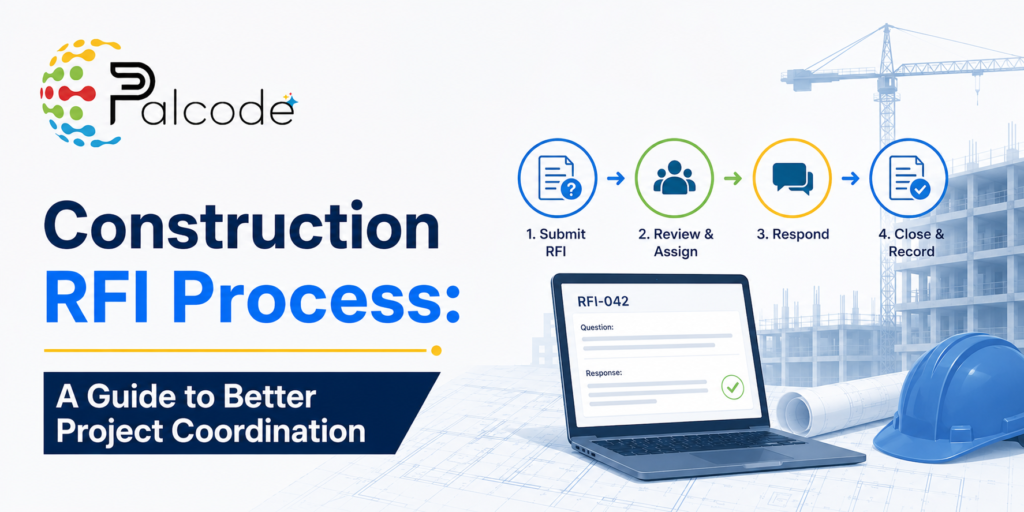
A unique tracking ID — every RFI needs one, and it needs to be searchable months later when someone’s reconstructing a timeline for a dispute.
The drawing or spec reference, sheet and detail number, no exceptions.
A priority flag — high, medium, low — tied to actual schedule consequence. This is the field most teams treat as optional, and it’s the one that matters most. Without it, a question about paint color sits in the same queue as a structural conflict holding up the pour. The design team has no way to know which one to grab first, so they grab whichever one’s easiest, which is rarely the one that’s actually costing you money.
A proposed response date.
Photos or markups, whenever there’s a visual component. A marked-up photo of the conflict saves three follow-up emails asking the engineer to picture what you’re describing.
Read More : Construction Submittal Schedule: How to Build and Track One
The Log Problem Nobody Wants to Own
Here’s the thing about an RFI log: the second it’s not current, it’s actively misleading. A spreadsheet someone updates every Friday afternoon isn’t a record of where things stand — it’s a record of where things stood four days ago, while two new RFIs went out and a response nobody’s looked at yet sat in someone’s inbox.
On a mid-size commercial job, that log can hit two or three hundred entries over the life of the project. At that volume, “I’ll just track it manually” stops being a system and starts being a liability. Somebody’s mechanical RFI gets buried. Nobody notices it’s overdue because nobody’s watching the date column closely enough, and the conversation about why drywall got delayed two weeks happens after the fact instead of before it.
This is the actual case for centralizing it on a platform instead of email and spreadsheets — not because spreadsheets are old-fashioned, but because nobody gets an automatic nudge when something’s sitting unanswered. The response attaches to the original record instead of living in a reply-all thread three people got dropped from.
One habit that costs almost nothing and saves real time: one issue, one RFI. Bundling two questions into a single submission feels efficient when you’re typing it up. It stops feeling efficient the moment a partial answer comes back and you can’t tell which half got addressed. Now you’re sending a follow-up just to ask which question they actually answered.
Read More : RFI Software for Construction: What to Look For in 2026
Who’s Supposed to Do What
The contractor spots the issue and files the RFI. The engineer or architect of record answers it — typically inside whatever window the contract sets, usually six to ten business days. The PM’s job is the one that gets skipped most under deadline pressure: actually reading the response before marking it closed.
“See original drawings,” with nothing else attached, is not a closed RFI. It’s the same question bounced back unanswered. If you close it anyway because the log needs to show progress, you’ve created a gap that surfaces again later — usually during a dispute, usually at the worst possible time. Don’t close an RFI until the answer actually resolves the question you asked.
Where AI Is Actually Changing This — and Where It Isn’t Yet
The move from email-based RFI tracking to platform-based tracking has been happening for a while now on larger jobs, and the gains are real: fewer duplicate submissions, tighter response times, an audit trail you can actually search instead of dig through.
What’s newer is software that flags potential conflicts before the crew hits them in the field — catching coordination issues between trades during document review instead of after the wall’s already framed. A meaningful chunk of RFIs trace back to exactly that kind of cross-discipline conflict, the kind a more thorough drawing review would’ve caught earlier.
That said, adoption is uneven, and it’s going to stay uneven for a while. Plenty of smaller GCs and specialty subs are still running entirely on email and spreadsheets, and asking them to switch mid-project creates more disruption than it solves. The honest near-term reality is a hybrid environment — some parties on a platform, others still responding by email — which means “does this tool play well with people who aren’t using it” is now a real question to ask when you’re evaluating software, not an afterthought.
The clearest win for teams that do standardize isn’t some dramatic AI leap. It’s simpler than that: automatic notifications mean people stop missing deadlines because they genuinely didn’t know the clock had started.
The Three Ways This Breaks, Every Time
Vague descriptions. “There’s an issue with the mechanical drawings” forces the engineer to ask what issue before they can even start answering. That back-and-forth alone can cost two or three days before the real clock even starts.
Stacked questions. Covered above, worth repeating because it’s the second most common failure and the easiest one to avoid.
Sitting on it. Some teams hold RFIs until they’ve got a batch ready, or they don’t want to look like they’re behind. An RFI filed the day the issue surfaces is almost always faster and cheaper to resolve than the same RFI filed after the affected work’s already in the ground.
FAQ
How long should an RFI response actually take?
Most contracts specify six to ten business days for standard items. High-priority RFIs tied to active critical-path work should move faster — but only if your RFI procedure spells out what “faster” means. If your contract’s silent on this, settle it in the pre-construction meeting. Don’t wait until you’re already arguing about a missed deadline.
What’s the real difference between an RFI and a change order?
An RFI clarifies. A change order changes the contract cost, scope, schedule, or some combination. An RFI response might reveal that a change order is needed, but the RFI itself never authorizes anything on its own.
What does RFI tracking software actually cost?
Standalone tools generally run $200–$600 a month depending on user count and feature depth. Most full project management platforms fold RFI tracking into a broader suite, so per-seat pricing varies a lot by contract. The better question usually isn’t the price tag — it’s whether a standalone tool is worth managing separately or whether folding it into a platform you’re already paying for makes more sense.
Can one RFI cover more than one question?
Technically, sure. Should it? No. If a partial response comes back, you won’t be able to tell which part got answered, and now you’re stuck reopening something that should’ve been closed. File separately, even when the issues are related.
What do you do when a response doesn’t actually answer the question?
Don’t close it. Flag it as pending and send a specific follow-up naming exactly what’s still unresolved. Closing an RFI on an incomplete answer just creates a paper trail that looks resolved and isn’t — and that gap has a way of resurfacing during a claims review, right when you need your documentation to actually hold up.
See How Palcode.ai Handles RFI Management at Scale
If your team is still chasing RFI responses through email threads or maintaining a log that is always a few days behind reality, Palcode.ai is worth a closer look. The platform is built for commercial construction teams that need document clarity and workflow structure without the overhead of a manual process. Book a demo call to walk through exactly how it fits your preconstruction and project management workflow.
About the Author
Shikha is a Senior Product Growth Marketer at palcode.ai, where she focuses on driving product adoption and improving user engagement through strategic, data-driven marketing. She contributes to product growth initiatives through market research, user behavior analysis, growth experimentation, and the development of best practices that help teams improve customer experience and product performance. Her work focuses on turning complex product concepts into actionable insights that support adoption, retention, and long-term growth. Explore More Blogs Here.