It’s 4:40 on bid day and the electrical sub just sent a revised PDF. The number dropped, but did the exclusions change too?
That’s the real test of any bid leveling tool. Demos look great on clean proposals, and your proposals aren’t clean.
This checklist covers the features that matter, the pricing you’ll actually see, and the cases where software isn’t worth buying yet.
Bid Leveling Software Features That Matter on Day One
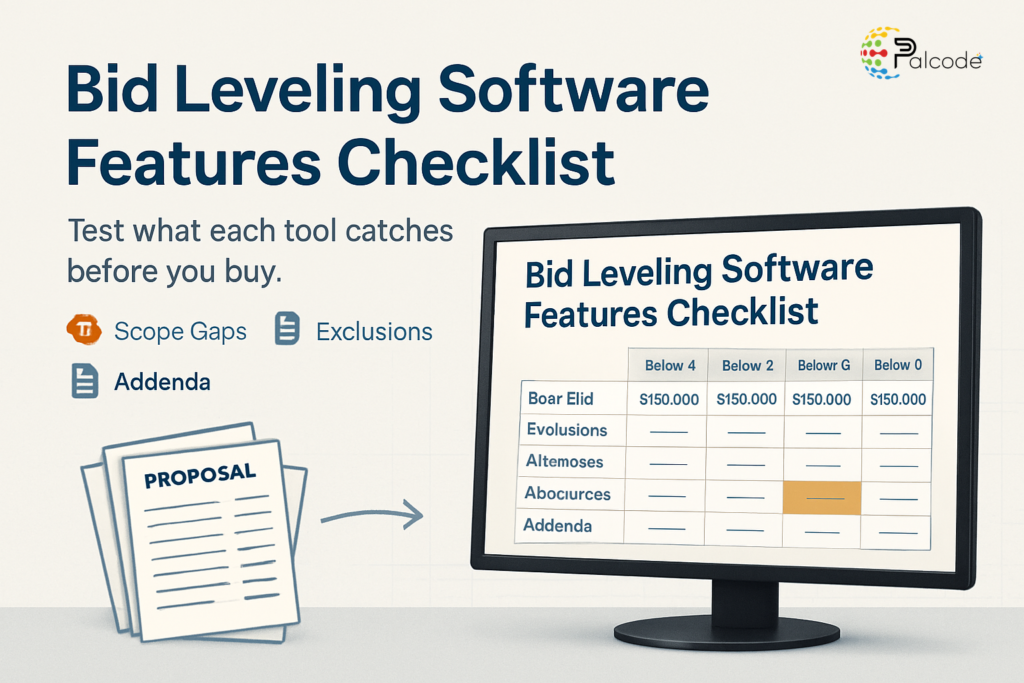
Start with what the tool normalizes. Good software should line up base bids, inclusions, exclusions, qualifications, alternates, allowances, unit prices, and addenda acknowledgments in one view. If it only compares the bottom-line number, you’ve bought a prettier spreadsheet.
Test it with a real, messy package. Use a mechanical bid where one sub carries controls and another quietly leaves them out.
Here’s a short list to run in every demo:
- Parses PDF proposals without retyping
- Shows exclusions side by side, per bidder
- Flags missing scope items against your scope sheet
- Tracks addenda acknowledgment per sub
Estimators feel this first. Procurement teams care about the audit trail, and PMs want a defensible recommendation they can hand to an owner.
Ask whether you can see the source line behind every extracted number. If you can’t, you’ll end up rechecking everything anyway.
Read More – Bid Leveling Software Features That Pay Off
Scope Gap Detection and Qualification Handling
Price comparison is the easy part. The expensive mistakes hide in scope gaps, like a drywall bid that excludes primer or a roofing quote that skips flashing.
A low bid with a gap isn’t low. It’s a change order waiting to happen, and the GC usually eats the argument.
Check how the tool treats qualifications written in sentences instead of line items. A sub who writes “price valid 15 days, excludes night work” has changed your schedule risk, not just your number.
Look for three behaviors in particular. The tool should surface overlapping responsibilities between trades.
It should hold allowances separate from base scope. And it should show unit prices so you can price changes before they happen.
Does it compare against your own scope sheet, or only bid against bid? Bid against bid can miss the item that all three subs left out.
Subcontractors aren’t affected the same way. They’ll see fewer clarification calls when scope is flagged early, while GCs carry the liability when a gap slips into the contract.
A Worked Example: Two Bids, Same Price, Different Scope
Picture two HVAC bids on a mid-size office build-out. Both land within a few hundred dollars of each other, so a totals-only view calls it a tie.
Sub A includes controls wiring and test-and-balance. Sub B excludes both and carries a short allowance for commissioning.
Once the tool normalizes each line, the tie disappears. Sub B is cheaper only until you add the controls and balancing you’d have to buy separately, and that’s before any change order markup.
This is the scenario to bring to a demo. A tool that shows the two bids as equal has failed, no matter how polished the dashboard looks.
Watch what the screen does with the gap. Does it highlight the missing items, let you assign a placeholder cost, and carry that adjusted number into your recommendation?
Estimators should insist on the adjusted figure. Owners and procurement teams will want to see how the gap was priced, because that’s the number they’ll question later.
Cost Structure: What Bid Leveling Software Really Costs
Pricing runs from pocket change to five figures. EstimateHawk lists a $39 project pass covering up to 5 trades, 5 bids per trade, and 300 pages. Its professional plan is $99 per month with 30 comparisons.
The same source shows ClearBids at $79 per month with a 14-day trial. Trueleveler’s monthly tiers are $199, $499, and $1,099.
Annual tools sit higher. STACK’s Pro plan starts around $2,999 per year. BuildingConnected starts near $1,500 per year and SmartBid near $1,200.
Here’s the catch. Many vendors don’t publish pricing at all, so implementation and negotiation costs are hard to compare.
At the top end, full construction-management platforms can run roughly $10,000 to $80,000 or more per year, even when bid leveling is one module. Ask what you’re paying for that you won’t use.
Bid Networks Versus Real Bid Leveling
A common mix-up costs teams months. Bid networks help you find and invite subs. They don’t necessarily compare what came back.
According to Trueleveler’s comparison, a bid network can help find subcontractors without comparing scope, exclusions, or coverage across bids. Invitations and leveling are different jobs.
If your pain is “we don’t get enough bids,” a network may fit. If your pain is “we get plenty and can’t compare them,” it won’t.
This distinction also separates the bid leveling you do on bid day from the informal checking some teams call leveling. A quick glance at three totals isn’t leveling, and software that only sorts totals isn’t either.
Ask the vendor to show a case where two bids look identical in price but differ in scope. Then watch what the screen does.
Public owners and procurement teams should ask a related question. Can the output document why you recommended one bidder over another?
Where AI Extraction Still Needs an Estimator
Can AI accurately level construction bids? Mostly, on clean proposals. Extraction still needs estimator review when proposals contain ambiguous scope, allowances, addenda, or overlapping responsibilities.
That’s the honest answer, and any vendor claiming zero review is selling you something. The useful question is how fast the tool lets you check its work.
Look for confidence flags, click-through to the source page, and an easy way to override a value. Those features decide whether review takes ten minutes or an hour.
Adoption is real but uneven. Most teams use AI to do the first pass of reading and normalizing, while estimators keep judgment calls about risk and sub reliability. That split is likely to hold for a while.
Software also isn’t right for everyone. If you receive very few bids per package, or your Excel comparison tabs are already accurate and maintained, the payback will be thin.
Is Excel enough for you? If a tab takes under an hour per trade and you rarely miss scope, probably yes. If you’re leveling six trades the night before a deadline, probably not.
A Buying Checklist for Estimators and Preconstruction Leads
Before you sign, run a pilot with a closed project. Use bids you’ve already leveled by hand, then compare what the tool caught against what you caught.
Verify these items with the vendor:
- Real pricing in writing, including onboarding
- Trial length and how many comparisons it includes
- Supported file types, especially scanned PDFs
- Export format for your bid tab or owner report
- Who owns the data if you cancel
Time the setup honestly. A monthly plan like EstimateHawk’s $99 professional tier that your team abandons in week three costs more than it looks.
Estimators should test accuracy. Preconstruction leads should test adoption across projects, and the finance side should test total annual cost against hours saved.
One more check: how does it handle a late revision? Bid day rarely runs clean, and the software that copes with a replaced PDF at 4:40 p.m. is the one you’ll keep using.
Read More – Bid Leveling Construction Software: What to Look For
| Tool | Listed Pricing | Trial or Limits | Best Fit | Source |
|---|---|---|---|---|
| EstimateHawk | $39 project pass or $99 per month | 5 trades, 5 bids per trade, 300 pages on the pass; 7-day trial on the monthly plan | Small GCs with occasional packages | EstimateHawk |
| ClearBids | $79 per month | 14-day trial | Teams wanting one flat plan | EstimateHawk comparison |
| Trueleveler | $199, $499 or $1,099 per month | Tiered by volume | GCs leveling frequently | Trueleveler |
| SmartBid | About $1,200 per year | Annual contract | Teams already managing bid invites | BuildVision |
| BuildingConnected | About $1,500 per year | Annual contract | GCs focused on sub outreach | BuildVision |
| STACK Pro | About $2,999 per year | Annual contract | Teams wanting takeoff alongside bids | Struvia |
Frequently Asked Questions
How much does bid leveling software cost?
Expect $39 for a single project pass up to roughly $3,000 per year for mid-tier tools. Full construction-management platforms can reach $10,000 to $80,000 annually, so confirm what’s included.
Is bid leveling software better than Excel?
Yes, once you’re leveling several trades per bid. If you get very few bids and your comparison tabs are accurate, Excel is fine.
Can AI accurately level construction bids?
On clean proposals, mostly. Ambiguous scope, allowances and addenda still need an estimator’s eyes, so pick a tool that links each value to its source page.
What features should bid leveling software have?
Look for PDF parsing, side-by-side exclusions and scope gap flags. Addenda tracking and source-line traceability matter just as much.
How long does it take to get set up?
Lightweight tools can run a closed-project pilot in an afternoon. Enterprise platforms usually need onboarding and implementation, so ask for a timeline in writing.
How Palcode.ai Can Solve It
Palcode.ai offers a bid leveling AI Worker that reads subcontractor proposals and lines up inclusions, exclusions and alternates in one comparison. It flags scope gaps so your estimator reviews exceptions instead of retyping every bid.
Test It on a Bid You’ve Already Leveled
Bring a closed project to a short call and see how Palcode.ai handles your actual proposals. You’ll judge the output against your own spreadsheet.