Somewhere on your project right now, a PM is manually cross-referencing a submittal log, an estimator is measuring the same plan for the third time, and a preconstruction manager is chasing subcontractor documents that should have been in the system two weeks ago. This isn’t an operations problem. It’s a workflow problem and in 2026, there’s no defensible reason to still be solving it with spreadsheets.
The construction software market hit $6.80 billion in 2025 and is on track to reach $14.35 billion by 2033. Over 60% of construction firms worldwide now rely on project management or field productivity software to streamline operations. The firms pulling ahead aren’t just adopting technology they’re selecting AI workflow tools that match how their teams actually build.
This article is for operations and preconstruction leaders who are actively evaluating platforms. We’ll cover what construction AI workflow software actually does, which categories matter most, how leading platforms compare, and what to pressure-test before you sign a contract.
Read More : Construction Workflow Automation: A Beginner’s Guide for 2026
What Construction AI Workflow Software Actually Does
The term “AI workflow software” gets applied loosely. Here’s what it means in practice for construction teams.
Traditional construction software your P6, your legacy project management tools stores and organizes data. You still do the analysis. You still spot the problems. You still make every call.
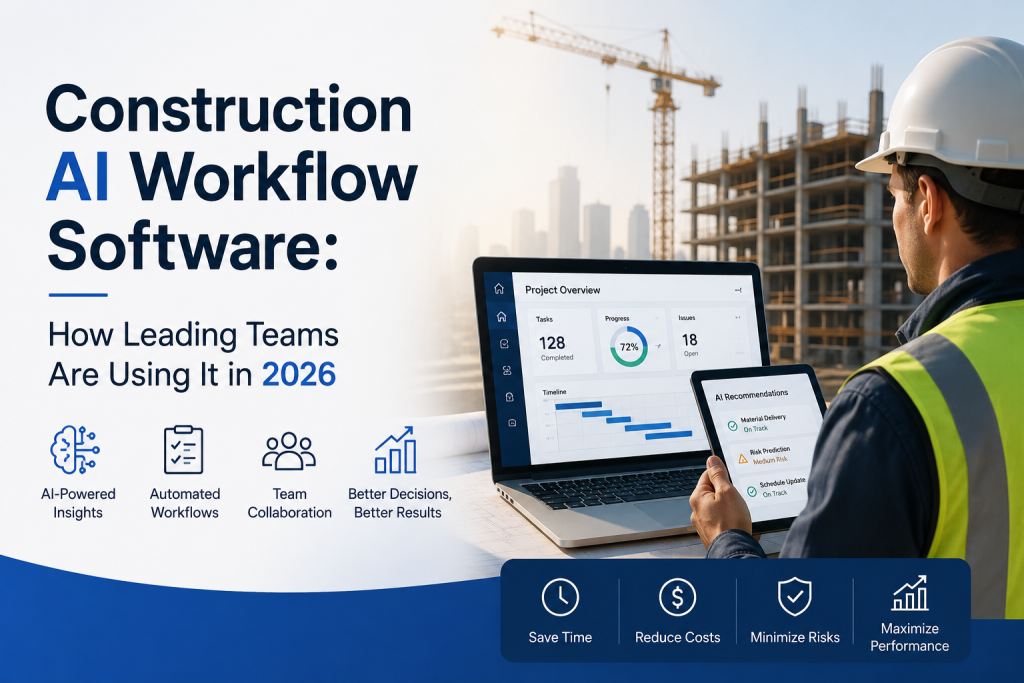
AI-powered construction workflow software goes further. It learns from patterns across past projects to flag risks before they materialize, automates decisions that don’t need human judgment, and surfaces information that would otherwise stay buried in a 4,000-page spec set.
The three AI technologies doing the real work are:
- Machine learning — predicts schedule delays and cost overruns by analyzing historical project data
- Computer vision — automates quantity takeoffs from drawings and monitors site progress through photo analysis
- Natural language processing — enables plain-language document search and AI-assisted proposal and RFI responses
The practical result: less time hunting for information, fewer errors in estimating and scheduling, and earlier warning on the risks that derail projects.
Where AI Is Having the Most Impact in 2026
Estimating and Quantity Takeoff
Manual takeoffs remain one of the most time-consuming steps in preconstruction. Computer vision tools like Togal.AI detect, measure, and label spaces and building features on architectural plans cutting the hours estimators spend on page turns. For firms managing high bid volumes, that speed compounds quickly.
The caveat: AI takeoff accuracy is highest on well-structured commercial plans. Run a parallel test on your actual project types before committing to any platform.
CPM Scheduling
Schedule management is where AI is delivering some of the most measurable ROI. Platforms like Planera and ALICE Technologies represent two distinct approaches.
ALICE uses generative AI to run thousands of sequencing scenarios before a shovel hits the ground analyzing trade-offs in labor allocation and task ordering to find the most efficient build path. Planera focuses on making sophisticated CPM scheduling more collaborative and visual, with an AI scheduling assistant (“Manny”) that responds to plain-language queries about your schedule.
Both address a persistent problem: schedules built in P6 or Microsoft Project are often inaccessible to the field teams who actually need to use them.
Document Management and Field Intelligence
Trunk Tools addresses one of the most frustrating daily realities in construction: finding answers buried in a 200-page spec or a submittal log with 800 entries. The platform delivers instant, cited answers from specs, RFIs, submittals, and drawings through plain-language queries no manual search required.
Autodesk’s Construction IQ takes a similar approach at the portfolio level, automatically prioritizing high-risk items in document logs and flagging patterns that historically lead to delays.
Site Monitoring and Progress Tracking
Buildots deploys hardhat-mounted cameras and computer vision to track construction progress automatically — comparing site conditions against the BIM model and schedule without requiring manual walkthroughs. This isn’t a small efficiency gain. It’s a fundamental shift in how supervisors spend their time on site.
Proposal and Bid Workflows
For firms competing on public sector and federal work, Flowcase automates proposal assembly by matching employee skills and project experience to RFP requirements, then auto-populating bid templates including complex forms like the SF 330. Firms handling high RFP volumes consistently report significant reductions in proposal turnaround time.
Platform Comparison: How the Leading Tools Stack Up
| Platform | Best For | Core AI Capability | Key Limitation |
|---|---|---|---|
| Autodesk Construction Cloud | Firms invested in BIM and design-build workflows | Construction IQ risk predictions; natural language document queries | Full value requires broader Autodesk investment; steep learning curve |
| Procore | Mid-to-large commercial GCs needing one platform | ML-powered risk flagging; field-office coordination | Higher cost for smaller teams; implementation requires planning |
| Planera | Teams moving off P6 or Microsoft Project | Visual CPM scheduling; AI scheduling assistant | Newer to market; pricing requires direct discussion |
| ALICE Technologies | Complex project sequencing and preconstruction planning | Generative AI scenario modeling for schedules | Deep setup required; overkill for straightforward projects |
| Togal.AI | High-volume estimating and bid preparation | Computer vision takeoffs from architectural plans | Accuracy varies with plan quality and format |
| Trunk Tools | Field teams and PMs drowning in documentation | NLP-powered document search with source citations | Requires well-organized documentation to deliver full value |
| Buildots | Quality control on BIM-modeled projects | Computer vision site progress monitoring | Requires detailed BIM model to function effectively |
| FlowForma | Automating routine processes without IT resources | 9 pre-built construction process templates | Limited scheduling capability; best used alongside a scheduling platform |
| Bluebeam | Document review and markup across distributed teams | Real-time markup collaboration | Focused on document management; needs other platforms for full workflow |
What to Evaluate Before You Commit
Integration With Your Existing Stack
A platform that doesn’t talk to your current tools creates data silos — the exact problem you’re trying to solve. Before any demo, map your current tech stack (accounting, ERP, field productivity tools) and ask vendors specifically how their platform connects to each.
Total Cost of Ownership
Most AI construction tools use subscription pricing. Calculate expected time savings reduced bid preparation hours, fewer PM hours chasing documents, faster submittal review and run the math honestly. A platform that costs more per seat but saves 10 hours per PM per week pays for itself quickly. One that requires six months of implementation before it’s usable doesn’t.
Deployment and Onboarding Reality
Ask the question vendors consistently underemphasize: how long until your field teams are actually using this? An AI scheduling platform with a six-month onboarding curve has a different risk profile than a document search tool that’s productive on day one.
Data Security and Compliance
Construction proposals and project data contain sensitive subcontractor, financial, and personnel information. Look for SOC 2 compliance, role-based access controls, and detailed audit trails. These aren’t nice-to-haves they’re baseline requirements for any firm working on public or institutional projects.
The Honest Buying Consideration
No platform solves every problem. The mistake most firms make is evaluating tools in a vacuum demoing everything, getting excited about features, and buying the most impressive dashboard.
Start with your actual bottlenecks. If your estimating team is losing bids because takeoffs take too long, that’s a different buy than if your project teams are losing productivity to documentation chaos.
The platforms winning in 2026 are purpose-built for specific workflow problems. Match the tool to the problem, not the other way around.
Read More : How to Automate Construction Workflows in 2026
Frequently Asked Questions
What’s the difference between AI construction workflow software and traditional project management software?
Traditional PM software stores and organizes data schedules, documents, budgets. You still do the analysis. AI workflow software learns from patterns across your project data to automate routine decisions, flag risks before they escalate, and surface answers from documentation without manual search. The practical difference is that AI tools reduce the administrative work that pulls your best people away from actual project management.
How long does implementation typically take for AI construction workflow platforms?
It varies significantly by platform and scope. Document search tools like Trunk Tools can deliver value within days of setup. Scheduling platforms like Planera typically require a few weeks of onboarding per project team. Complex systems like Autodesk Construction Cloud or ALICE Technologies can take several months to fully implement across a portfolio. Ask vendors for implementation timelines from firms similar to yours in size and project type not their best-case scenario.
Do AI construction tools work for subcontractors and specialty contractors, or just GCs?
Both. The tools most relevant to subcontractors and specialty contractors tend to focus on estimating (Togal.AI, Beam AI for automated takeoffs) and field documentation. Scheduling and portfolio management platforms are more typically adopted at the GC level, though sophisticated specialty contractors running multiple concurrent projects increasingly need them.
How should we evaluate AI accuracy claims from vendors?
Pilot on your actual project types. AI takeoff accuracy metrics are typically reported on well-structured commercial plans performance varies with plan quality, drawing format, and project complexity. Before committing, run a parallel test: measure the same set of plans manually and with the AI tool, then compare accuracy and time. Any vendor that won’t support a pilot test is a red flag.
Is now the right time to buy, or should we wait for the technology to mature?
The platforms in the estimating, scheduling, and document management categories are no longer beta software — they’re proven at scale. Waiting another 12 months means 12 more months of losing hours to manual processes your competitors have already automated. The construction firms pulling ahead in 2026 are treating AI as a practical operational decision, not a future-state aspiration.
Ready to See What’s Possible for Your Preconstruction Workflow?
Palcode.ai is built for construction teams that are done managing subcontractor qualification, bid leveling, and preconstruction workflows across disconnected tools and spreadsheets.
If your estimating or preconstruction team is spending more time managing process than managing projects, it’s worth a conversation. Book a 30-minute demo
About the Author
Mohit Mohan is the founder of Palcode.ai and a builder of AI-first systems for commercial construction workflows. He works closely with preconstruction leaders to translate real field constraints coverage gaps, bid volatility, scope ambiguity, compliance friction, and estimator capacity limits into repeatable, governed operating workflows that scale across projects and teams.