You’ve probably walked a jobsite and noticed how much slips through the cracks. A subcontractor drifting into a restricted zone. A delivery that showed up but nobody logged. A framing crew that wrapped early and left no record. Tracking all of it manually is either someone’s full-time job, or it just doesn’t happen.
AI cameras for construction have moved well past basic time-lapse. Modern systems use computer vision to detect specific behaviors, flag violations the moment they occur, and generate documentation without anyone touching a keyboard. The question most GCs are asking now isn’t whether the technology works. It’s what they should actually expect it to do on their projects.
What AI Cameras for Construction Actually Track
The gap between a standard security camera and an AI-powered jobsite camera is bigger than most buyers expect. Basic systems record. AI systems analyze, classify, and alert.
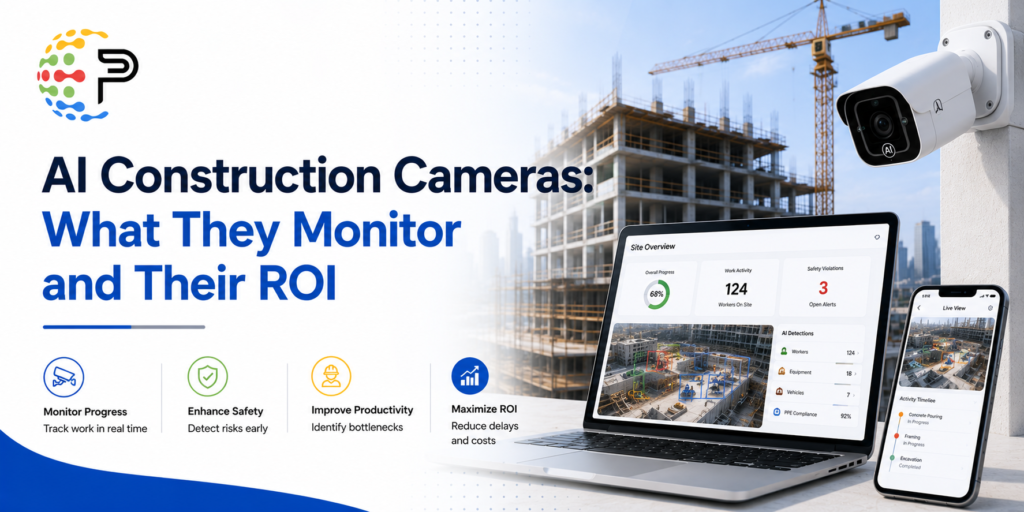
Safety compliance is usually where teams start. These cameras detect missing hard hats and absent high-visibility vests automatically, no one has to scrub through footage manually. When a violation occurs, supervisors get a phone notification. That’s the part most teams underestimate: the value is in the instant alert before an incident, not in the recording of one.
Restricted area monitoring works the same way. A worker entering a hazard zone or stepping behind a reversing vehicle triggers an immediate flag. Nobody has to be watching a monitor for that to function.
Equipment tracking is another area with clear practical ROI. Platforms like OxBlue and TrueLook identify more than 10 equipment types, including excavators, cranes, and dump trucks, tracking arrival and usage patterns automatically. That data supports productivity analysis and also helps verify deliveries. It can flag unauthorized use before equipment leaves the site.
Progress documentation is where AI cameras start replacing manual processes outright. Systems trained on construction-specific imagery can identify installed work by trade and flag changes since the last capture. Framing, MEP, finishes, each gets categorized without someone walking the site with a checklist every week.
More advanced deployments go further. Workflow pattern analysis, occupancy counts, anomalous behavior detection. What used to be a passive security asset becomes an active management tool for scheduling and resource decisions.
How the Technology Works in Practice
Most platforms ingest imagery from fixed cameras on perimeter fencing or site trailers, from 360-degree cameras, or from drones. Several systems are built to work with cameras already on site, which lowers the adoption barrier considerably.
The AI layer handles a few distinct functions. Computer vision models classify objects in real time, so the system knows the difference between a properly equipped worker and one without a hard hat. Alert logic fires the moment a defined condition is triggered. Intelligent video search lets teams locate specific people, vehicles, or events across all feeds in seconds rather than scrubbing through hours of footage.
Cloud integration is what makes it practical for GCs running multiple sites. Most modern platforms pair with mobile apps, giving site visibility around the clock regardless of where the project manager actually is. That’s a meaningful operational shift for anyone managing more than two active projects.
Accuracy depends heavily on training data. Platforms built on large volumes of construction-specific imagery perform noticeably better than general-purpose computer vision tools applied to a jobsite. The difference shows up most clearly in progress tracking. Correctly distinguishing framing from MEP from finish work requires domain-specific training, and not every platform has it.
Read More : Best AI for Construction Estimating: Tools Ranked
Construction Site Monitoring Cameras: Comparing the Main Approaches
Not every AI camera platform is built for the same buyer. The right fit depends on what you’re solving for and how much infrastructure you’re willing to manage.
Fixed perimeter systems like OxBlue and TrueLook are purpose-built for construction. Equipment identification and progress documentation are their strengths, and the hardware is designed to survive months of outdoor exposure on an active site. The tradeoff is upfront cost and lead time. You need installation before the project begins, not after it’s already running.
Vehicle-mounted cameras suit projects where fixed infrastructure doesn’t make sense, or smaller sites where full perimeter coverage is overkill. Coverage quality depends on vehicle movement, so blind spots are more likely than with a fixed layout.
Cloud-based mobile apps land somewhere in between. AI-powered analysis without dedicated hardware on every site. For shorter projects or GCs still evaluating whether the ROI math works, this is often the right entry point.
Platforms like Lumana AI and Spot AI come at the market from a security and operations angle rather than a construction-specific one. Broader feature sets in some areas, but shallower integration with construction progress workflows. They also tend to work with existing camera hardware, which can make adoption faster when the infrastructure is already there.
Read More : 10 Best AI Takeoff Software for Construction in 2026
Is the Investment Actually Worth It?
For most projects above a certain scale, yes. The ROI comes from a few places: reduced incident rates, lower insurance premiums over time, and time saved on manual documentation. Intelligent video search also cuts incident investigation from hours to minutes, which has real value when something does go wrong.
The honest caveat is that extremely short-duration projects with minimal risk may not recover the cost of a fixed camera system. That’s where mobile or cloud-based options become more attractive, since the unit economics are different.
A practical pilot approach: pick one specific pain point, run the system on a single active project for several weeks, and measure actual reductions in reporting time or incident response. That gives you real numbers before committing to a multi-site rollout. Reductions in manual data entry alone tend to surface savings faster than most teams expect.
There’s also a softer ROI that’s harder to put a number on but genuinely present. Clients and subcontractors notice when a GC has robust site monitoring in place. It signals operational discipline. For firms competing on preconstruction credibility, that perception matters, and it connects to how construction operations automation is increasingly part of what separates competitive GCs in a crowded market.
Where AI-Powered Jobsite Monitoring Is Heading
The trajectory is toward tighter integration between what cameras see and what project management systems do with that data. Right now, most platforms produce alerts and reports. The next layer is feeding camera-derived progress data directly into schedule updates and budget tracking, without manual handoffs in between.
Adoption isn’t uniform across firm size. Large GCs on major projects have been running these systems for several years. Mid-market firms are in active evaluation mode right now, which is part of why the vendor landscape is expanding quickly. Smaller GCs are finding entry points through mobile-first options that don’t require site-specific hardware commitments.
What doesn’t change regardless of platform or firm size: these systems still require someone to configure alert thresholds, review flagged events, and act on what gets surfaced. The cameras don’t manage the site. They make it much harder to miss what’s actually happening on it.
| Platform / Approach | Primary Use Case | Equipment Detection | Progress Tracking | Best Fit | Setup Complexity |
|---|---|---|---|---|---|
| OxBlue / TrueLook (fixed) | Progress documentation and equipment tracking | 10+ equipment types identified | Trade-level (framing, MEP, finishes) | Mid-to-large projects with multi-month timelines | Hardware installation required, higher upfront cost |
| Vehicle-mounted cameras | Flexible coverage and equipment monitoring | Moderate, dependent on camera positioning | Limited, coverage gaps likely | Smaller sites or projects without fixed infrastructure | Lower upfront cost, but blind spots depending on vehicle routes |
| Lumana AI / Spot AI | Security, operations analytics, safety alerts | General object detection | Limited construction-specific training | Sites prioritizing security and incident investigation | Moderate, often works with existing camera hardware |
| Cloud-based mobile apps | AI analysis without dedicated hardware | Varies by platform | Basic to moderate | Short-duration projects or smaller GCs testing entry-level ROI | Low, no site-specific hardware required |
Frequently Asked Questions
How much do AI cameras for construction sites typically cost?
Fixed AI camera systems from platforms like OxBlue or TrueLook generally run a few hundred to a few thousand dollars per month per site, depending on camera count and feature tier. Cloud-based or mobile-first options come in significantly lower. The more useful frame is payback period: firms that track reductions in manual reporting time and incident-related costs often find the system recovers its cost within a single project cycle.
Can AI cameras detect PPE violations reliably on a busy jobsite?
Reliability depends on two things: model quality and camera placement. Platforms trained specifically on construction imagery handle common violations like missing hard hats well. Detection accuracy tends to drop in low-light conditions or when workers are partially obscured, so where you mount the cameras matters more than most buyers factor in during purchasing.
Do I need to replace my existing cameras to use AI-powered analysis?
Not necessarily. Several platforms, including Lumana AI and Spot AI, are designed to work with cameras already installed on site. That compatibility lowers adoption cost considerably. The AI capabilities available may still vary depending on your existing hardware’s resolution and field of view, so it’s worth confirming compatibility before assuming full feature parity.
How long does setup take on an active project?
Fixed systems typically need a few days of hardware installation before the project begins, plus configuration time for alert zones and thresholds. Cloud-based or mobile options can be operational in hours. The configuration step is usually where teams spend more time than expected, but it’s also where you get real control over what the system actually flags versus ignores.
Is AI jobsite monitoring only practical for large GCs?
It used to skew that way, but that’s shifted noticeably. Vehicle-mounted cameras and cloud-based mobile apps have made AI-powered monitoring accessible to mid-market and smaller GCs without the same infrastructure commitment. Running a short pilot on one active project is usually the fastest way to determine whether the economics work for your typical project size and risk profile.
See How AI Is Changing What Preconstruction Teams Can Track and Automate
If site monitoring is one piece of a broader push to reduce manual work and improve project visibility, Palcode.ai is worth a closer look. The platform applies AI to bid leveling, scope sheet generation, and budget integration, the preconstruction workflows where errors and gaps tend to show up late and cost the most. Book a demo to see how it handles the specific pain points your estimating team is dealing with right now. Book a Demo
About the Author
Shikha is a Senior Product Growth Marketer at palcode.ai, where she focuses on driving product adoption and improving user engagement through strategic, data-driven marketing. She contributes to product growth initiatives through market research, user behavior analysis, growth experimentation, and the development of best practices that help teams improve customer experience and product performance. Her work focuses on turning complex product concepts into actionable insights that support adoption, retention, and long-term growth. Explore More Blogs Here.