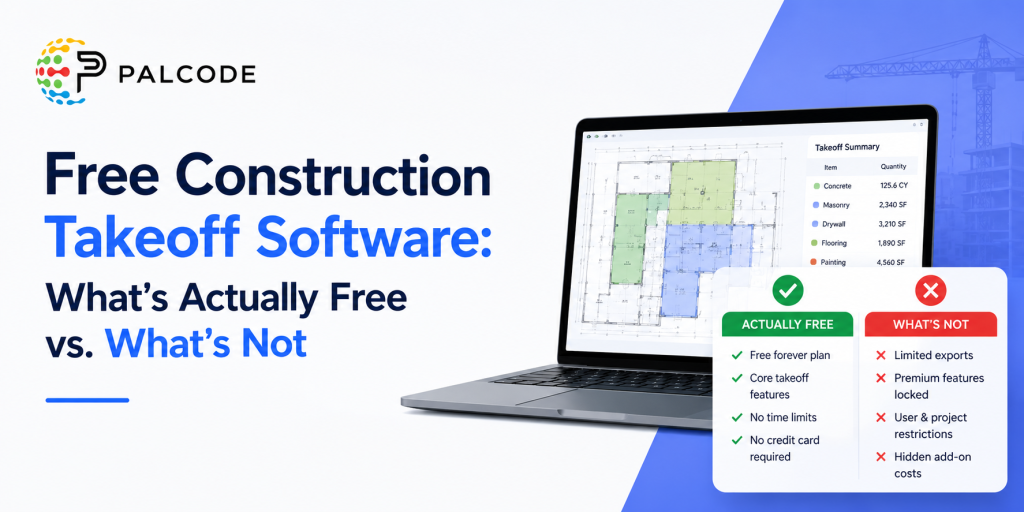
If you’ve spent any time searching for free construction takeoff software, you already know the drill. Every product page leads with “free” somewhere in the headline. You sign up, start a project, and somewhere around the second bid you realize the feature you actually need auto-count, data export, unlimited projects is sitting behind a paywall.
This article is a straight read on what the market actually offers: which tools give you something genuinely useful for free, where the real limits kick in, and what a paid upgrade buys you. If you’re actively evaluating software for your estimating or preconstruction workflow, this is the practical breakdown you need before you commit.
Why “Free” in Construction Software Rarely Means What You Think
The construction software market broadly uses “free” in three different ways, and conflating them will waste your time.
Truly free tiers give you a permanently accessible, functional version of the product typically with restrictions on project count, storage, user seats, or advanced features. You can run real work through them, with caveats.
Free trials give you full platform access for 7 to 30 days, then require a paid subscription. Nothing is retained on a free basis after the window closes.
Freemium add-ons are tools bundled “free” into a paid platform subscription you’re already paying for elsewhere (Procore’s takeoff module being the classic example).
When you’re evaluating bidding and estimating software, understanding which category a product falls into matters especially if you’re a small sub or independent estimator trying to control costs while building a repeatable process.
Read More : Bidding and Estimating Software: The Complete Breakdown for Contractors
The Real Landscape: Free Takeoff Software Options Compared
| Software | Free Tier? | Type | Key Free Limits | Best For |
|---|---|---|---|---|
| STACK | Yes (permanent) | Cloud-based | 2 active projects, 7-day project access window, 10 takeoffs/project, no auto-count or data export | Small teams testing cloud takeoff workflows |
| eTakeoff Dimension | Yes (permanent) | Desktop (Windows) | Basic measurement only; no saved annotations, no custom assemblies | Solo estimators who need a no-cost digital ruler |
| PlanSwift | Free trial only (14 days) | Desktop (Windows) | Full access lapses at trial end | Teams ready to commit to a desktop-first workflow |
| Bluebeam Revu | Free trial only (30 days) | Desktop (Windows) + cloud | Full access lapses at trial end; Mac support ended 2020 | Document control + intermediate takeoff on Windows |
| Countfire | Free trial only (7 days) | Cloud-based | Trial only; pricing not publicly listed | Electrical subcontractors |
| Togal.AI | No free tier | Cloud-based | Paid only; starts at $299/user/month | High-volume commercial GCs and subs needing AI automation |
| Autodesk Forma | No free tier | Cloud-based | Paid only; ~$1,290/user/year | Enterprise firms with BIM workflows |
STACK Free: The Most Functional Free Tier on the Market
Among the options listed above, STACK’s free version comes closest to being genuinely useful for active bidding work. It’s cloud-based accessible from any browser on PC, Mac, or iPad and requires no download or installation. The core measurement tools are all present: linear measurements, area calculations, volume takeoffs, and basic counting.
The practical constraints are worth understanding clearly before you build a workflow around it. The free tier limits you to two concurrent projects at a time and restricts access to any given project to a seven-day window from when it was first opened. You’re also capped at ten takeoffs per project. The more operationally significant limits are the absence of auto-count (AI-assisted pattern recognition for counting repetitive items across plan sets) and the inability to export data which means you can’t push quantities into a separate estimating tool or spreadsheet without manual re-entry.
For a contractor running low bid volume on straightforward projects, those constraints are workable. For anyone doing multi-trade commercial work or bidding on more than a few projects per month, the limits will create friction fast.
The upgrade path is a significant jump. STACK’s paid tiers start at $2,999 per year for the entry-level “Start” plan, which includes unlimited projects and full feature access for one user. That’s a meaningful cost for a small shop but it does include unlimited view-only users, cloud collaboration, auto-count, and full data export.
Also Read : Contractor Bidding Software: What to Look For Before You Buy
eTakeoff Dimension Basic: A Free Desktop Option With Real Limits
eTakeoff’s free “Basic” tier is a different animal than STACK. It’s a Windows desktop application that has to be installed locally which means you’re tied to that machine, there’s no cloud sync, and Mac users are out immediately.
What you get for free is functionally a digital ruler: basic linear measurements, counts, area calculations, and the ability to view and print plans. You cannot save your measurements or annotations in the free version, which is a serious operational constraint. Every session starts from scratch. There are no layers, no color-coded markup, and no custom assemblies.
For an estimator who just needs to verify a rough quantity or do a quick scale check, it’s useful. For anyone building a repeatable bidding workflow, the inability to save work makes the free tier impractical as anything more than a learning tool.
The paid Advanced tier runs $795 per year and adds saved annotations, measurement organization, and color-coded layers. The Premier tier at $1,495 per year adds custom assembly creation and more advanced pattern recognition features that start to make the tool competitive with STACK’s paid offering.
What Paid Tiers Actually Buy You: The Features That Change the Bid
When evaluating whether to upgrade from a free or trial tier, the question isn’t really “is it worth paying?” it’s “which specific capabilities change my bid quality or time-to-bid?”
Here’s what separates free tiers from paid tools in practice:
Auto-count / AI pattern recognition: On a large commercial plan set with hundreds of fixture types, door hardware callouts, or MEP components, manually clicking and counting is brutally slow and error-prone. Auto-count uses AI to detect and tally a specific symbol across an entire plan set in seconds. STACK’s free tier excludes this; their paid tiers and AI-first tools like Togal.AI make it central to their value proposition.
Data export and estimating integration: Takeoff without the ability to push quantities somewhere useful is incomplete. Paid STACK tiers integrate with Procore, Buildertrend, and Dodge Construction Network. Planswift has deep Excel integration. Without export capability, every free-tier takeoff ends with manual re-entry into your bid sheet.
Unlimited project access and concurrent work: If you’re actively bidding multiple projects simultaneously which most competitive GCs and subs are the two-project and seven-day caps on STACK’s free tier will block your workflow.
Custom assemblies: For trades that bid repetitive components (MEP rough-in, framing, flooring), the ability to define a single assembly (one unit of a hospital room, one run of a standard pipe section) and apply it across a project multiplies the speed advantage. This is a paid feature across essentially every platform.
Team collaboration: Cloud platforms with shared access, real-time sync, and version control are only available on paid tiers. If more than one estimator touches a project, you need this.
Trade-Specific Considerations
Not every takeoff tool is built for every trade. Before evaluating free tiers, confirm whether the platform actually serves your scope of work.
General contractors and commercial subcontractors doing multi-trade commercial work typically need the full feature set from day one. STACK’s paid tier or ConstructConnect On-Screen Takeoff (OST) are the category standards here. OST starts around $1,800/user/year but remains the workflow backbone for heavy commercial subs doing drywall, concrete, or flooring on large projects.
MEP contractors (mechanical, electrical, plumbing) need trade-specific intelligence. Countfire’s auto-detection of electrical symbols and Trimble AutoBid’s automatic fitting generation (which adds elbows and hangers as you trace pipe runs) are specialized capabilities no general-purpose free tool replicates.
Heavy civil and earthwork contractors require 3D volume modeling that general takeoff software doesn’t attempt. AGTEK Gradework, which starts at $650/user/month, handles cut-and-fill calculations, drone data integration, and site grading at a depth no free tool approaches.
Residential builders and remodelers are the most underserved by purely free tools, but Buildxact’s paid platform (starting at $199/month flat-rate) integrates live dealer pricing and AI-assisted estimation in a way that’s genuinely purpose-built for custom residential bidding.
The Honest Verdict: When Free Is Enough and When It Isn’t
Free construction takeoff software is a starting point, not a long-term strategy for competitive estimating teams. STACK’s free tier is the strongest offering currently available it’s cloud-based, functional across devices, and genuinely useful for low-volume or trial scenarios. eTakeoff Basic is a free option for Windows-only teams that just need digital plan measurement without any workflow commitment.
But here’s the reality: if you’re bidding more than two or three projects per month, need to push quantities into your estimate, want any AI-assisted counting, or have more than one person touching bids, you will hit the ceiling of free tools quickly. The cost of a mid-tier paid platform ($2,000–$3,000/year) is almost always recoverable within the first two or three projects where faster, more accurate takeoff leads to a winning bid or a more profitable one.
The better question isn’t “what can I get for free?” it’s “what does one missed item in a bid actually cost me, and what’s the right tool to prevent that?”
Frequently Asked Questions
Is there truly free construction takeoff software, or is it always a trial?
There are genuinely free permanent tiers STACK and eTakeoff Dimension both offer them. The key distinction from a free trial is that these tiers don’t expire. However, both impose meaningful feature restrictions: STACK limits you to two active projects with a seven-day access window and no data export, while eTakeoff’s free tier doesn’t allow you to save your measurements at all. A true trial (PlanSwift at 14 days, Bluebeam at 30 days) gives you full feature access that lapses after the window.
Can I use free takeoff software for commercial projects?
Technically yes, but practically it depends on project complexity and volume. STACK’s free tier handles digital measurement on commercial plan sets, but the two-project cap and lack of auto-count make it impractical for a team actively bidding multiple commercial jobs simultaneously. For serious commercial work, a paid tier is almost always necessary.
What’s the difference between takeoff software and estimating software?
Takeoff software extracts quantities from blueprints it tells you how much of something you need. Estimating software applies unit costs to those quantities to produce a bid. Many platforms (STACK, PlanSwift, Buildxact) combine both functions. Some tools handle only one side. When evaluating free tiers, clarify whether the “free” version covers just takeoff, just estimating, or the full workflow.
Do free takeoff tools work on Mac?
Cloud-based tools like STACK work natively on Mac through a browser. Desktop-based tools PlanSwift, eTakeoff, ConstructConnect OST are Windows-only and require an emulator or Parallels to run on a Mac. If you’re on Apple hardware, cloud-based options are the practical path.
What should I look for when upgrading from a free to a paid takeoff tool?
The five capabilities that most directly affect bid quality and speed are: auto-count / AI pattern recognition, data export and estimating integration, unlimited project access, custom assemblies, and team collaboration features. If your current free tool is missing two or more of these and you’re bidding actively, the upgrade will pay for itself quickly.
Ready to See What a Full Takeoff Platform Can Do?
If you’ve been running bids on spreadsheets or working around the limits of a free tool, a 30-minute demo is the fastest way to calibrate whether it’s time to upgrade. Most platforms including STACK, Bluebeam, and PlanSwift offer structured demos where you can bring your own plan set and run a live takeoff.
The goal isn’t to sell you on software. It’s to find out whether the tool fits the way your estimating team actually works — before you sign an annual contract. Book a demo
About the Author
Mohit Mohan is the founder of Palcode.ai and a builder of AI-first systems for commercial construction workflows. He works closely with preconstruction leaders to translate real field constraints coverage gaps, bid volatility, scope ambiguity, compliance friction, and estimator capacity limits into repeatable, governed operating workflows that scale across projects and teams.