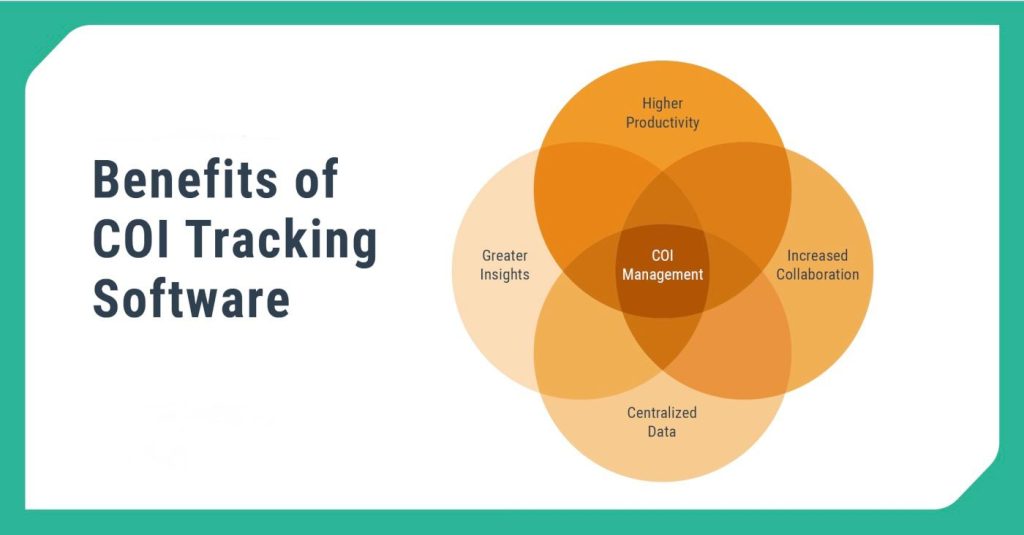
Managing subcontractor insurance manually creates unnecessary risks for contractors. Free COI tracking software provides a reliable solution to organize certificates of insurance (COI), monitor expiration dates, and maintain project-wide compliance without relying on scattered spreadsheets.
This certificate of insurance management tool centralizes documentation, sends automated reminders before policies expire, and offers real-time visibility into subcontractor coverage. Many platforms provide limited free plans ideal for smaller teams or single-project workflows in construction.
What Is COI Tracking in Construction and Why Do Contractors Need It?
COI tracking for contractors ensures every subcontractor maintains valid insurance coverage that meets contractual requirements. General contractors must verify policy limits, endorsements, and expiration dates throughout the project lifecycle. Poor tracking exposes firms to liability, delays, and OSHA violations—see official OSHA contractor insurance requirementsfor guidance.
What Palcode Does That Free Tools Don't
Free COI tracking tools are a reasonable starting point for small teams managing a handful of vendors on a single project. They'll track dates, send basic reminders, and keep documents in one place. But for teams managing multiple active projects, frequent vendor onboarding, and a growing subcontractor database, free tools hit their limits fast. Here's what Palcode adds:
Automated compliance tracking across your entire vendor list — not just expiration reminders, but active monitoring of policy limits, endorsements, and coverage gaps against your actual contract requirements. The system flags the gaps; your team makes the calls.
Real-time visibility from office to field — when a site super needs to know if a sub is cleared to work a scope, the answer is in Palcode, not in someone's inbox. Current status, documented, accessible to the whole team.
COI tracking connected to your bid and qualification workflow — instead of managing insurance separately from vendor onboarding and bid management, Palcode ties them together. A sub isn't just qualified on paper once; their compliance status stays current through the life of your relationship.
AI-powered gap detection — before a bid is awarded, before a sub mobilizes, Palcode surfaces any open compliance issues automatically. The expired COI that stops a job gets caught weeks earlier, not on a Monday morning.
How Does Free COI Tracking Software Work for Insurance Certificate Management?
Free COI tracking software streamlines subcontractor insurance compliance with these key steps:
- Subcontractors upload insurance documents directly.
- The system automatically logs policy limits and expiration dates.
- Automated notifications alert you before coverage expires.
- A compliance dashboard shows real-time subcontractor coverage status.
These tools replace manual follow-ups and email chains with efficient workflows. Check industry resources on insurance management best practices to see how automation cuts administrative risks.
Are Free COI Tracking Tools Enough for Growing Contractors?
Basic free COI tracking software suits contractors with small subcontractor lists and simple projects. However, those managing multiple jobs or frequent vendor onboarding often need integrated solutions that link COI tracking with preconstruction workflows.
Key Limitations of Free Certificate of Insurance Tracking Platforms
- Limited subcontractor capacity (e.g., 5-10 vendors max).
- Basic expiration alerts only.
- No advanced compliance validation for endorsements or limits.
- Restricted reporting tools
As your operations scale, upgrade to paid COI management solutions that integrate tracking, vendor onboarding, and bid management for full subcontractor insurance compliance.
Free vs Paid COI Tracking Software for Contractors: Feature Comparison
| Feature | Free COI Tracking Plan | Paid COI Management Plan |
|---|---|---|
| Cost | No upfront fee | Subscription-based |
| Subcontractor Volume | Limited | Scalable |
| Automation | Basic reminders | Advanced compliance workflows |
| Reporting | Simple dashboard | Detailed compliance analytics |
The Limitations Worth Knowing About Free Plans
Free COI tracking tools are transparent about what they don’t cover, and it’s worth knowing before you build a workflow around them.
Most free plans cap subcontractor volume at five to ten vendors. Expiration alerts are basic they’ll tell you a certificate is expiring, but they won’t validate whether the policy limits actually meet your contract requirements, flag missing endorsements, or connect that compliance status to your broader vendor onboarding process. Reporting is minimal. And as your project volume grows, so does the gap between what free tools track and what your operation actually needs.
None of that makes free tools wrong. It makes them a fit for a specific team size and project complexity and a mismatch for teams that have grown past it.
Frequently Asked Questions
Is free COI tracking software actually free?
Most platforms offer a limited free tier or a trial period. Basic expiration tracking is usually free. Advanced features policy validation, endorsement tracking, integration with bid workflows, team-wide visibility typically require a paid plan.
Can free tools verify subcontractor insurance limits automatically?
Basic free plans track expiration dates and send reminders. Full policy validation confirming limits meet contract requirements, flagging endorsement gaps generally requires manual review or a premium plan.
Does COI tracking software reduce contractor liability?
Yes. Proactive monitoring of subcontractor insurance compliance means coverage gaps get caught before they create liability exposure, OSHA issues, or project stoppages. Reactive tracking finding out a certificate expired after a crew is on-site is where the real risk lives.
How does COI tracking handle expiration reminders?
The system logs policy dates when documents are uploaded and sends automated alerts before coverage lapses. The difference between tools is how far in advance those alerts fire, whether they validate the policy details, and whether they connect to anything else in your workflow.
Is spreadsheet tracking reliable for COI management?
No — not at any real project volume. Spreadsheets don’t update themselves, don’t alert you when policies change, and don’t give your field team real-time visibility. They’re a record of what was true when someone last updated the file, which is rarely the same as what’s true today.
Still running COI tracking on spreadsheets?
See what it looks like when the system catches expiring certificates before they become project problems automatically, across your entire vendor list.
Book a free demo Thirty minutes. No pitch deck. A straight look at whether Palcode fits your workflow.
About the Author
Mohit Mohan is the founder of Palcode.ai and a builder of AI-first systems for commercial construction workflows. He works closely with preconstruction leaders to translate real field constraints coverage gaps, bid volatility, scope ambiguity, compliance friction, and estimator capacity limits into repeatable, governed operating workflows that scale across projects and teams.