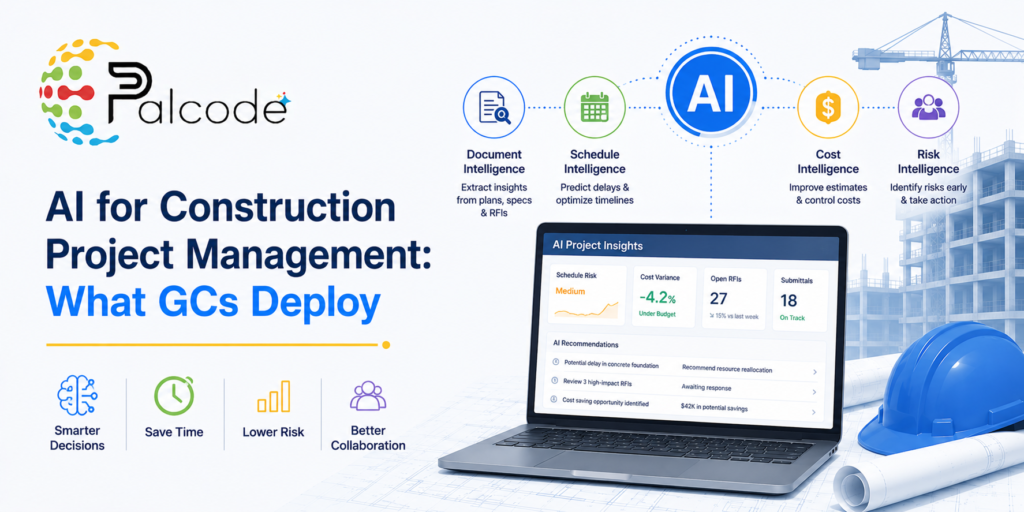
You’ve probably noticed the conversation has shifted. It’s no longer “should we explore AI?” but “which tools are worth deploying, and where do we start?” GCs past the pilot stage aren’t running generic chatbots in their project management workflow. They’re deploying purpose-built platforms that solve specific, painful operational problems: contract administration overhead, scheduling complexity, and progress verification that doesn’t require constant walkthroughs.
The gap between what’s being marketed and what’s actually in production is wide. Understanding it matters before your team commits budget or bandwidth.
Why AI Construction Software Adoption Looks Different Than Expected
Most early AI deployments in construction failed quietly. General-purpose AI lacks construction-specific training, and that shows up fast when you try to use it for visual site documentation or trade-specific analysis. Purpose-built platforms trained on jobsite imagery perform significantly better for those tasks. That’s not a minor caveat; it’s the main reason GCs who deployed general AI tools first are now switching.
There’s also a data infrastructure problem that’s easy to underestimate. For AI to forecast cost trends or flag schedule risks, it needs structured, integrated records across the full project lifecycle. Cost entries must connect to document control. Field reports must link to the schedule. Most teams aren’t there yet, and deploying AI on top of siloed systems produces noisy outputs that erode trust fast.
The GCs seeing real results have focused on two things: picking tools that solve a narrow, well-defined problem, and running a genuine pilot before any portfolio-wide commitment.
AI PM Tools for Construction: Where GCs Are Actually Spending
Contract Administration
This is where AI construction software adoption has moved fastest, and honestly, it’s not surprising. Contract admin is grinding, repetitive work with high stakes for compliance errors. Platforms like Contracts Connected automate the full contract lifecycle: drafting subcontracts, chasing missing Certificates of Insurance, tracking compliance deadlines. The administrative reduction isn’t marginal. Tools in this category are cutting manual overhead by 40 to 60%, mostly by eliminating document-chasing and version-control errors that consume PM hours.
If your team is manually following up on COIs or maintaining compliance trackers in spreadsheets, that’s the clearest deployment case right now.
Complex Schedule Optimization
ALICE Technologies is the platform most frequently cited when GCs talk about AI-powered scheduling on complex projects. Traditional scheduling methods break down on jobs with significant sequencing constraints or resource contention. ALICE uses AI optimization to generate and stress-test schedules in ways that would take a human scheduler days, surfacing trade-off scenarios and risk exposures upfront. It’s specifically suited for projects where schedule failures have downstream cost consequences that dwarf the software investment. On straightforward jobs, the setup effort probably doesn’t pay off.
Progress Tracking and Reality Capture
Buildots and OpenSpace are both seeing real GC adoption for site documentation. Both use 360-degree site imagery, but the intelligence layer is where construction AI use cases get interesting. Machine learning recognizes installed trades, flags deviations from design intent, and surfaces hazards, all without requiring a PM to walk every area of every floor. Catching an installation error in week four costs a fraction of what it costs in week twelve. That’s the ROI argument, and it’s a straightforward one.
These tools also create an accountability record that’s increasingly valuable in dispute resolution. That’s a benefit most teams don’t account for when evaluating the purchase, but it matters more than most realize.
Preconstruction and Bid Management
Tools like Downtobid and BuildingConnected by Autodesk address the preconstruction side by matching projects with qualified subcontractors. They also analyze historical bid data to predict pricing accuracy and surface potential issues before they hit the schedule. Preconstruction teams still managing sub outreach and bid analysis manually are leaving both time and risk on the table, particularly on multi-trade projects where bid coverage gaps are easy to miss.
For GCs evaluating AI construction software in estimating specifically, tools built around AI construction estimating software have matured considerably and are worth evaluating alongside the scheduling and contract tools above.
General-Purpose AI: Useful, but Narrow
ChatGPT has a real, if limited, role. GCs are using it to draft initial contract language, build safety meeting agendas, and scan project specifications for potential issues. That’s legitimate productivity value. But it lacks construction-specific visual analysis capabilities, which means it can’t replace purpose-built platforms for anything involving drawings or site imagery. Treat it as a productivity aid for text-heavy tasks, not a substitute for specialized tools.
The Deployment Model That Actually Works
GCs that have successfully scaled AI tools share a consistent deployment pattern. It’s different from how most enterprise software gets rolled out, and that difference matters.
- Start with a single project or phase. The pilot has to run on real work, not a demo environment.
- Run AI outputs in parallel with manual observations during the pilot. Validate accuracy before you trust it.
- Scale first to projects that share similar characteristics with the successful pilot. Only then move to more complex project types.
- Resist pressure to deploy across all sites at once. Teams that skip validation end up with low adoption and skeptical field staff who won’t use the tool even when the outputs are reliable.
The pilot-based model also surfaces integration problems early. Most GC tech stacks weren’t designed with AI in mind, and connected project data is the prerequisite for almost every AI feature that’s actually useful in production.
Traditional vs. AI-Driven Project Management: The Real Differences
The contrast isn’t just about speed. Traditional construction management runs on lagging information: reports compiled after the fact, risks identified after they surface, siloed systems where each organization manages its own records. AI-driven environments surface automated insights in real time. Risk signals get flagged before they become disputes. Stakeholders share a connected dataset rather than reconciling separate spreadsheets after every meeting.
That shift from reactive to predictive is what GCs mean when they talk about the value of these tools. It’s not about replacing project managers. It’s about giving them better information earlier, so fewer decisions get made on stale data.
Where AI Construction Software Adoption Is Heading
The tools gaining traction aren’t the ones with the broadest feature sets. They’re the ones solving a single, painful problem well enough that the team actually uses them. Adoption follows trust, and trust gets built through accurate outputs on real projects, not through demos.
The next phase will likely push harder on data integration, connecting cost, schedule, and field data into a shared environment where AI can draw on the full project record rather than just one slice of it. GCs already disciplined about document management and compliance will extract more value from those tools faster than teams still working through siloed systems.
Purpose-built tools, deployed narrowly and validated carefully, are outperforming the broad platform bets. That’s likely to remain true for the next few years, even as the platforms themselves get more capable.
| Tool / Category | Primary Use Case | Best Fit | Key Limitation |
|---|---|---|---|
| Contracts Connected | Contract admin automation and COI tracking | GCs with high subcontractor volume and heavy admin burden | Focused on contract lifecycle; not a broad PM platform |
| ALICE Technologies | AI-powered schedule optimization | Complex projects with sequencing constraints | Steeper setup effort; less useful on straightforward jobs |
| Buildots | Progress tracking via 360-degree site imagery | GCs managing large floor-plate or phased construction | Requires consistent image capture discipline on site |
| OpenSpace | Site documentation and deviation detection | Teams needing accountability records for dispute prevention | Value compounds over time; early-project ROI is lower |
| Downtobid / BuildingConnected | Subcontractor matching and bid data analysis | Preconstruction teams on multi-trade projects | Bid data quality depends on historical volume in platform |
| ChatGPT (general AI) | Drafting text and spec analysis | Any team needing lightweight text productivity support | No visual analysis; no construction-specific training |
Frequently Asked Questions
What AI tools are GCs actually using for project management right now?
The most common deployments center on contract administration, scheduling, and site progress tracking. Contracts Connected handles COI chasing and compliance automation. ALICE Technologies is used for complex schedule optimization. Buildots and OpenSpace cover 360-degree site documentation. General-purpose tools like ChatGPT show up for text-heavy tasks but aren’t used as core PM infrastructure.
How long does it take to see ROI from an AI construction software deployment?
Contract administration tools tend to show faster returns because the time savings on COI tracking and subcontract drafting are immediate and measurable. Progress tracking tools like Buildots and OpenSpace build value over the project lifecycle, with the biggest payoff in avoided rework and dispute resolution. Most GCs running genuine pilots see measurable results within a single project phase.
Does a GC need to overhaul its tech stack before deploying AI project management tools?
A full overhaul isn’t required, but data integration matters more than most teams expect going in. AI tools that forecast cost trends or flag schedule risks need cost data connected to document control, with field reports linked to the schedule. The narrower the tool’s focus, the less integration it requires, which is part of why single-function tools like contract automation tend to get deployed successfully before broader AI PM platforms.
What’s the real difference between general-purpose AI and purpose-built construction AI?
General-purpose AI tools lack construction-specific training, which means they struggle with trade recognition, site imagery, and jobsite-specific document types. Purpose-built platforms trained on jobsite data perform significantly better for those tasks. For drafting contract language or building safety meeting topics, general AI is genuinely useful. For anything visual or trade-specific, purpose-built tools are the only practical option.
How much does purpose-built construction AI software typically cost to deploy?
Pricing varies by platform and project volume, but most purpose-built tools are licensed per project or per seat, typically starting in the low thousands per month for single-platform deployments. Contract administration tools and scheduling platforms like ALICE Technologies tend to be priced for mid-size to larger GCs rather than small firms. The more relevant number is usually the cost of the problem being solved: 40 to 60% reductions in admin overhead add up quickly against those subscription costs.
See How AI Fits Into Your Preconstruction Workflow
If the deployment patterns above resonate, the natural next question is how AI fits into your specific preconstruction workflow, particularly around bid management, scope review, and subcontractor coordination. Palcode.ai works directly with GC preconstruction teams to automate the parts of that workflow that eat the most time and carry the most risk. Book a demo call to walk through your current process and see where the fit is.